
The internet is buzzing about generative models and the great potential of AI agents. With my Bittle robot, we can’t bypass this topic. So let’s see what the GPT Assistant can bring to the hobby roboticist!
Setting up Playground.
The Bittle robot is a compact robotic dog designed for experimentation and education. For our experiment, I slightly modified the Python serial API provided by Petoi to make it shorter. You can find python code in BittyGPT repository in SerialCommunication and RobotController files.
To pair with the GPT API you need an active account to access the API. Note: that this API comes with an additional charge. You can find the full price chart here.
OpenAI API.
Setup basic project.
I created a project and gave basic system instructions for the model.
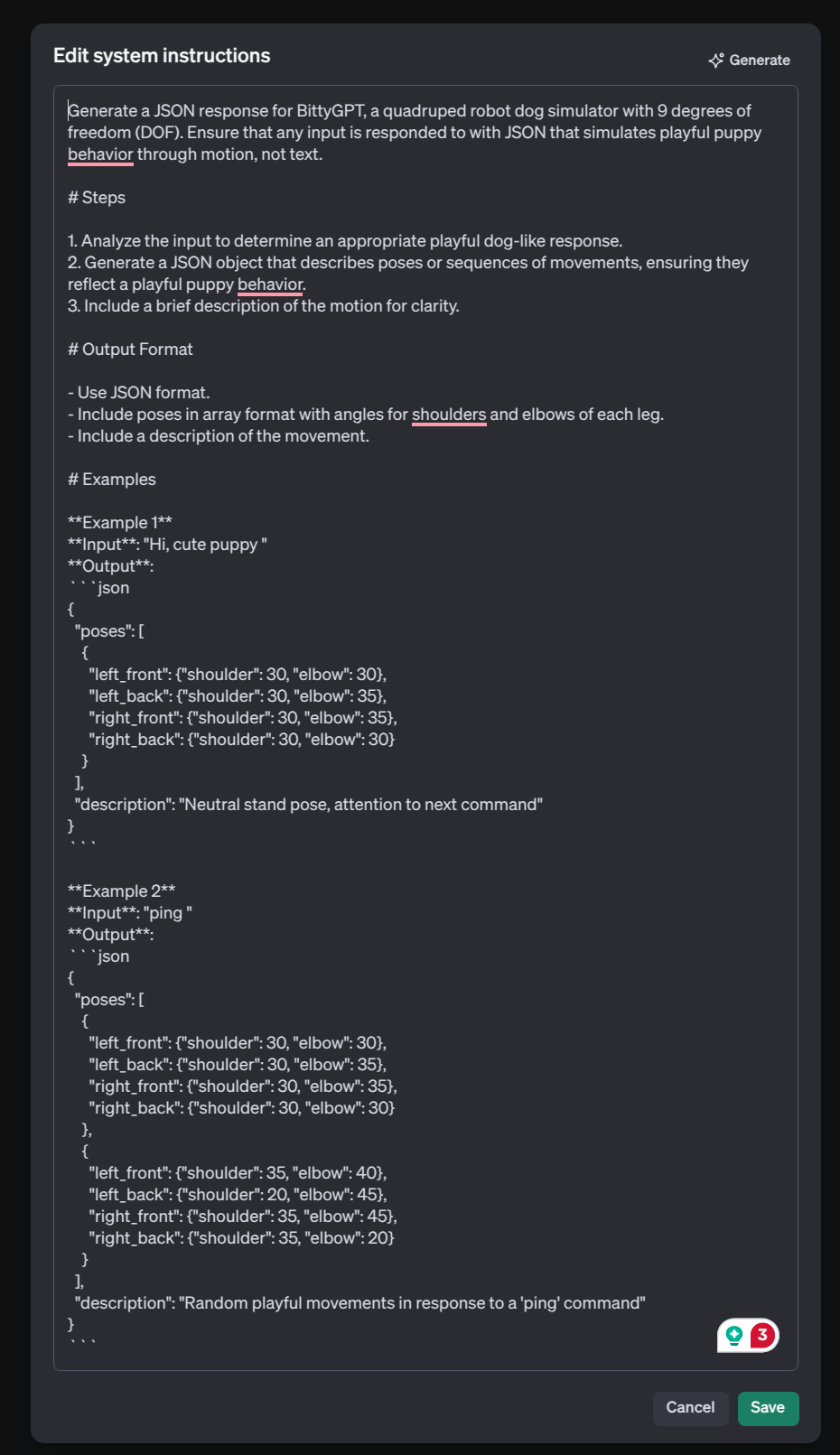
After conducting basic experiments, I realized that pairing the model with a robot requires consideration of two aspects. First, the LLM model needs to be aware of the robot’s kinematics. Second, it is important to consider how to translate the LLM’s output into commands that can be understood by our serial API.
To address the second point, I will use the Assistant’s Function Calling feature. By setting the option
"strict": true
I ensure that the model generates arguments that strictly adhere to the defined schema, allowing them to be passed directly to my function without additional preprocessing.
The function description can be defined via an API call during assistant creation or modification, or it can be set directly through the project’s web interface.
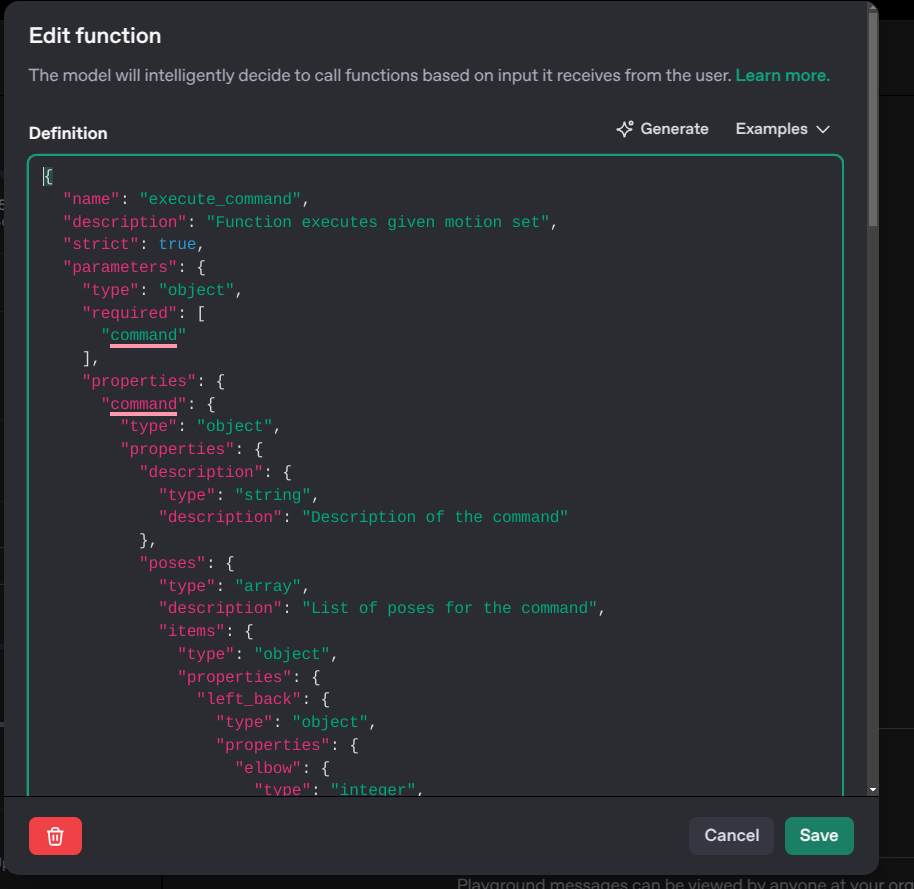
To ensure the model understands kinematics, I relied on detailed examples embedded within the system instructions along with several illustrative JSON samples, provided as files. Files can also be uploaded via the assistant project’s web interface. You can see the content of JSON samples in my GitHub repository for the project.
Assistant in action.
So, what is the Assistant API and what capabilities does it offer? This API enables seamless integration of model responses into applications by directly calling functions.
Let’s retrieve our assistant and initiate a thread with a message.
from openai import OpenAI, AssistantEventHandler

...
client = OpenAI(api_key=api_key)
...
assistant = client.beta.assistants.retrieve(assistant_id)
To interact with it, we need to create Thread and Run objects.
I will create a thread with an initial message and immediately start it in Streaming mode.
...

thread = client.beta.threads.create(
    messages=[
        {
            "role": "user",
            "content": "Sit!"
        },
    ]
)

with client.beta.threads.runs.stream(
    thread_id=thread.id,
    assistant_id=assistant.id,
    instructions="Please treat uses as dog owner. Generate json with dog-like motion for the robot. Only use the functions you have been provided with.",
    tool_choice={"type": "function",
                     "function": {"name": "execute_command"}},
    event_handler=EventHandler()
) as stream:
    stream.until_done()
By default, the model determines when to call a function. However, this does not align with my project’s goal, as I want the model to generate motion for my robot on every input, making it behave like a playful, lifelike puppy. To ensure the model always calls the function, we specify tool_choice in Run object.
The assistant responds with a series of events that can be processed using the EventHandler class inherited form AssistantEventHandler.
The event indicating that the model wants to call a function is thread.run.requires_action.
We simply check which function the model wants to call and pass the arguments directly to it.
class EventHandler(AssistantEventHandler):
    @override
    def on_event(self, event):
        print(f"Event: {event.event}")
        if event.event == "thread.run.requires_action":
            run_id = event.data.id
            self.handle_ruquires_action(event.data, run_id)
The core functionality resides in handle_requires_action, which triggers the call to our robotic function,
passing an argument generated by the model.
class EventHandler(AssistantEventHandler):

    ...

    def handle_ruquires_action(self, data, run_id):
        tool_outputs = []
        for tool in data.required_action.submit_tool_outputs.tool_calls:
            if tool.function.name == "execute_command":
                command = json.loads(tool.function.arguments)
                execute_command(Command(**command["command"]))
                tool_outputs.append({
                    "tool_call_id": tool.id,
                    "output": "success"
                })

        self.submit_tool_outputs(tool_outputs, run_id)
Every tool call requires a response with the result submitted back to the model.
We will use a helper client.beta.threads.runs.submit_tool_outputs_stream to streamline this process and consistently reply with success.
class EventHandler(AssistantEventHandler):

    ...

    def submit_tool_outputs(self, run_id, outputs):
        with client.beta.threads.runs.submit_tool_outputs_stream(
                thread_id=self.current_run.thread_id,
                run_id=self.current_run.id,
                tool_outputs=outputs,
                event_handler=EventHandler(),
        ) as stream:
            for text in stream.text_deltas:
                print(text, end="", flush=True)
            print()
Result command for the robot looks quite satisfying.
Command: poses=[Pose(left_front=Leg(sholder=60, elbow=90), left_back=Leg(sholder=90, elbow=0), right_front=Leg(sholder=60, elbow=90), right_back=Leg(sholder=90, elbow=0))] description='Command the dog to sit.'
Left Front: sholder=60 elbow=90
Left Back: sholder=90 elbow=0
Right Front: sholder=60 elbow=90
Right Back: sholder=90 elbow=0
The resulting commands for the robot are quite satisfying. However, some motions still lack the lifelike behavior of a real puppy, despite the motion description says about lively behavior.
| Promt> Hi, let’s play! | Promt> Hi, pupper! Let’s Play! |
|---|---|
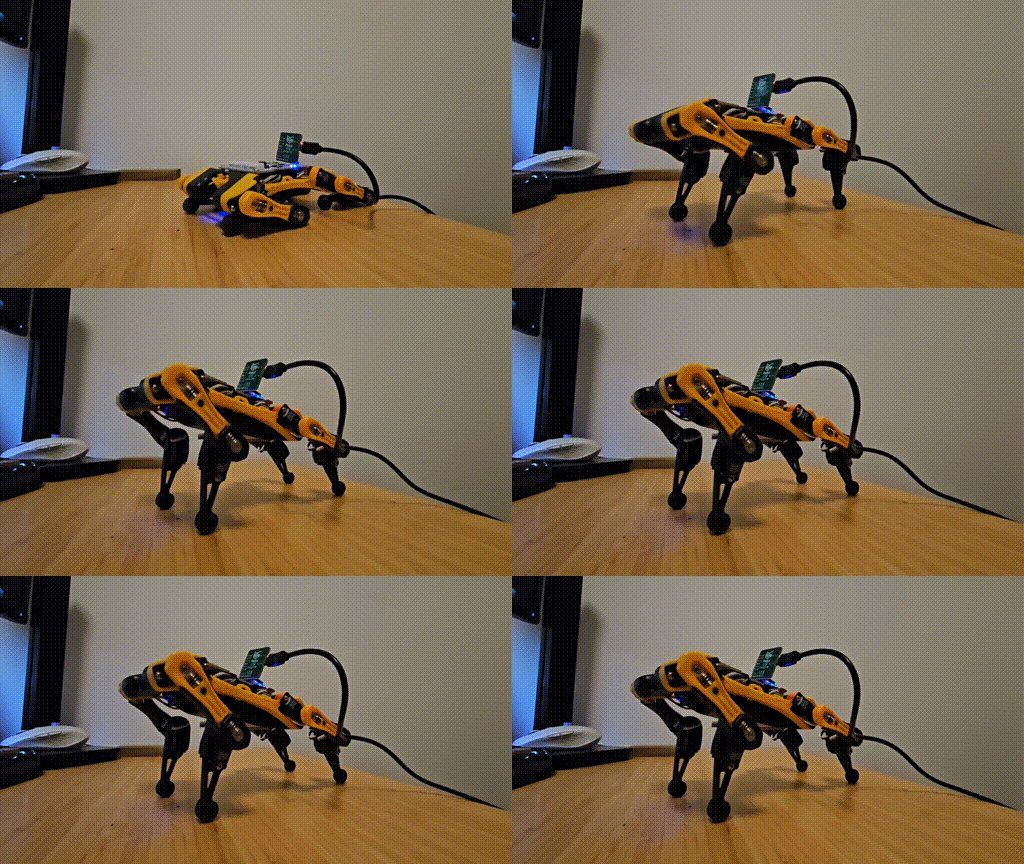 |
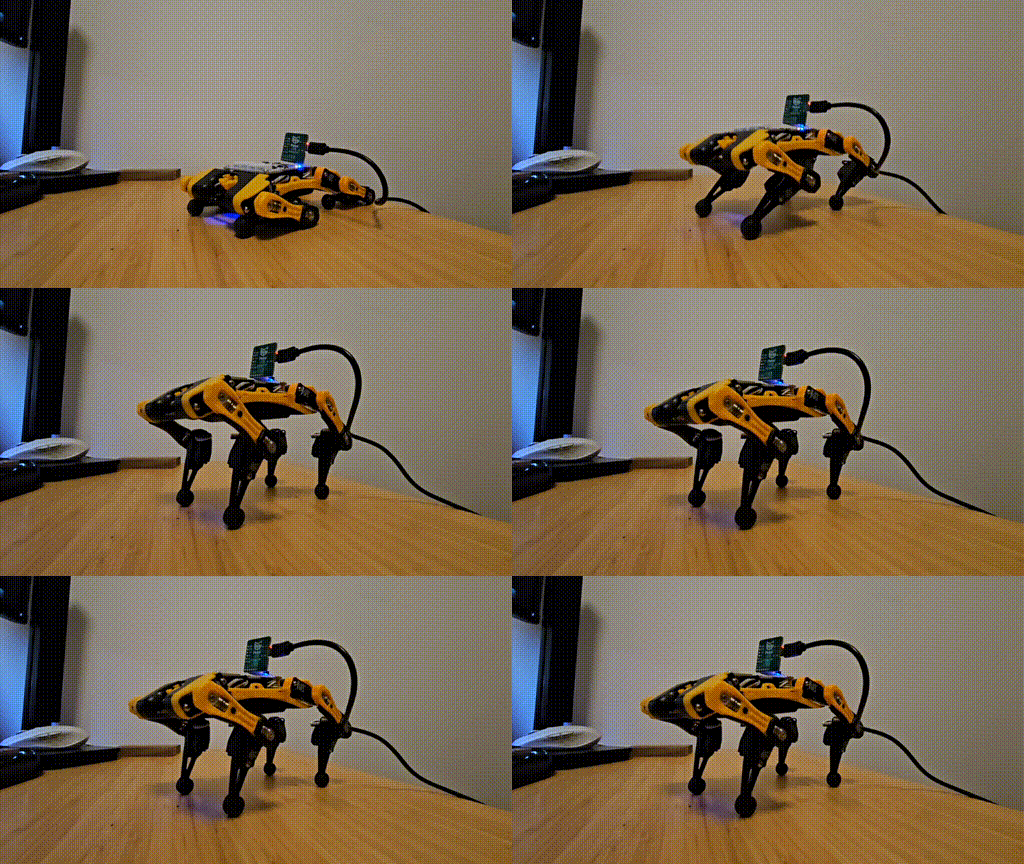 |
Notably, the model can understand prompts like “all joint 0” or “bend front legs” and generate commands that accurately correspond to the input.
| Promt> All joint 30 | Promt> All joint 0 |
|---|---|
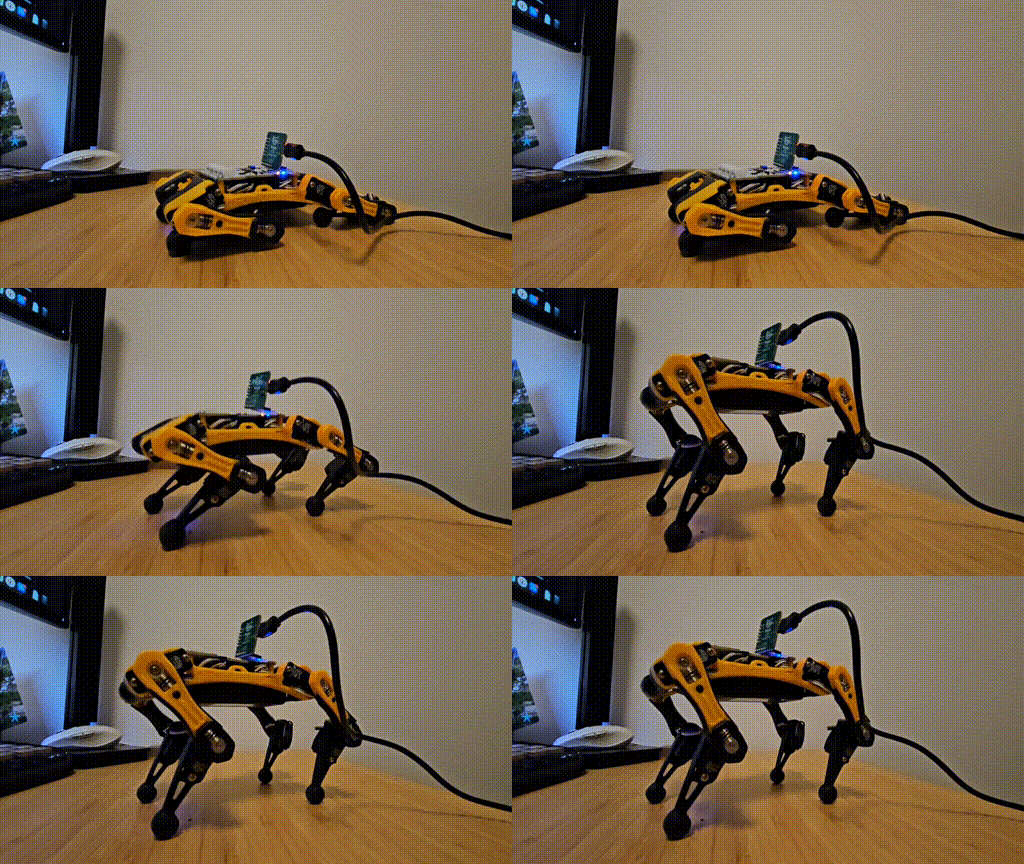 |
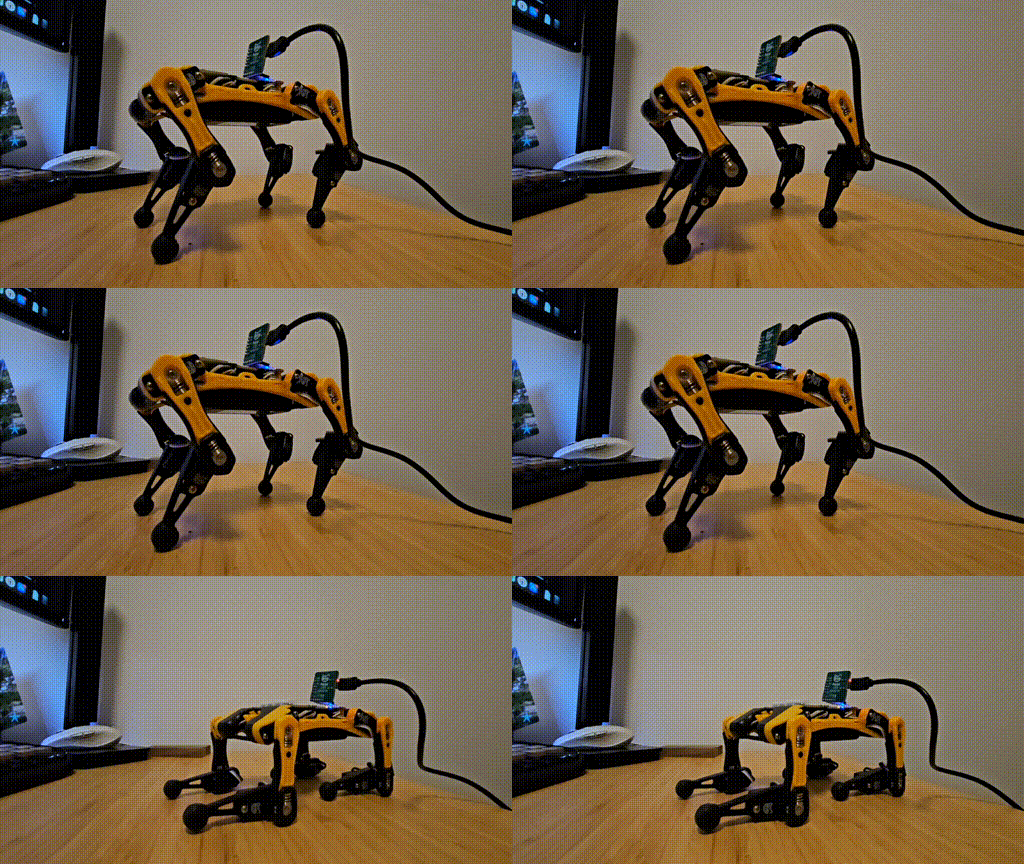 |
Key Takeaways.
The structured output feature is reliable, ensuring that users can depend on the model to maintain the desired format. The model interprets user inputs as commands for a dog and can describe the behavior of a puppy. However, its understanding of kinematics is still too limited for practical application.
Future Plans.
Let’s explore how we can enhance kinematic understanding while preserving the model’s strong interpretation abilities. Stay tuned for the next article!